NSFW Image to Video AI: How to Turn an Image Into a Video — Beginner's Guide
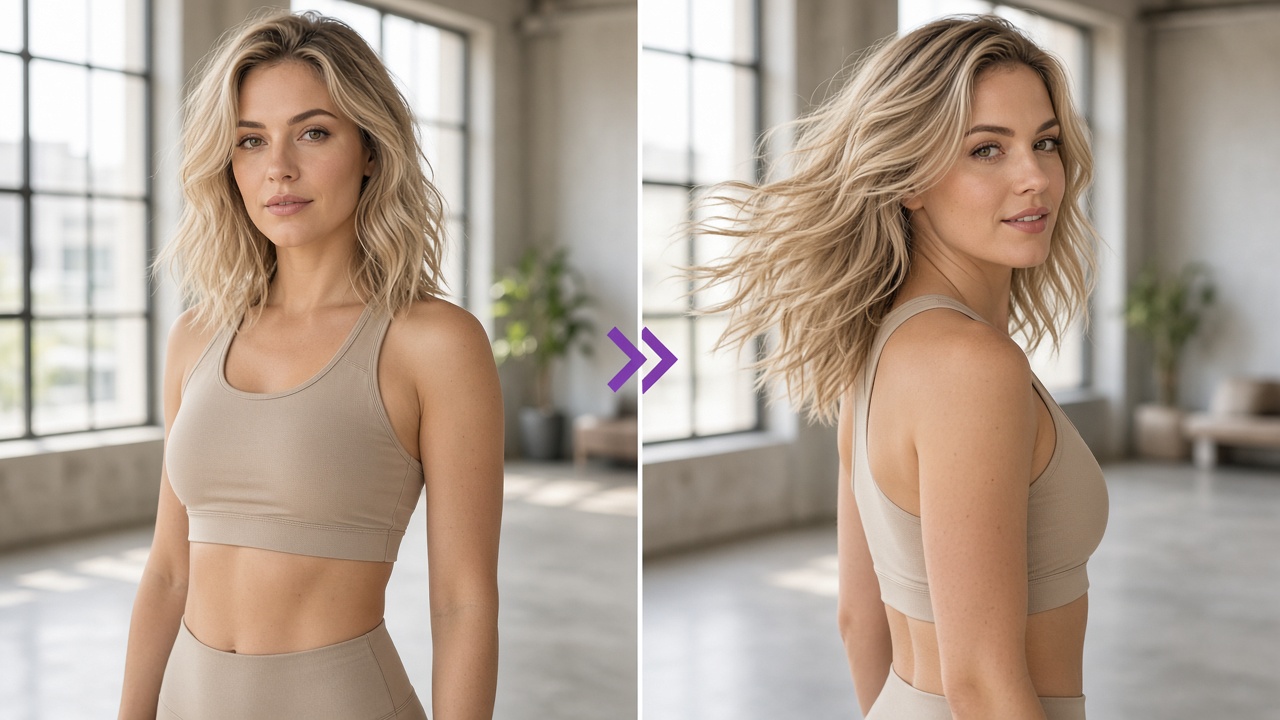
Turning a still image into a moving video is one of the most interesting developments in generative AI. Instead of creating every frame manually, users can provide an image and let an AI model predict how the scene might move over time.
With nsfw image to video ai, the process typically starts with a source image and continues through motion instructions, generation settings, and a final quality review. The technology can animate fictional adult characters, introduce camera movement, and create short clips from existing AI-generated artwork.
However, a good starting image does not automatically guarantee a good video. Motion can introduce unexpected changes to faces, anatomy, lighting, and backgrounds.
This guide explains the technology, how to prepare suitable images, what video-generation tools generally offer, and how to evaluate the results. It also covers privacy, consent, and common problems beginners should understand.
What Is NSFW Image to Video AI?
NSFW image to video ai refers to generative technology that transforms a still image into a short animated sequence.
The starting image provides visual information such as the subject, composition, lighting, colors, and background. The AI model uses that information alongside motion instructions to predict additional frames.
Unlike traditional animation, which requires artists to create or manipulate individual frames, image-to-video models generate a sequence based on patterns learned during training.
The result can include:
- Subtle character movement.
- Changes in facial expression.
- Camera movement.
- Background animation.
- Motion applied to fictional, AI-generated characters.
The technology is not perfectly predictable. A model may change details that should remain consistent, particularly when the requested movement is complicated.
This is why image preparation and output evaluation matter.
How Does Image-to-Video Generation Work?
Image-to-video generation generally involves three components.
1. A source image
The image establishes the initial appearance of the scene. It gives the model a visual reference for the character, background, lighting, and composition.
2. Motion instructions
Some models accept text describing the desired movement. Others offer predefined animation styles or motion templates.
3. A video-generation model
The model predicts a sequence of frames and attempts to maintain visual consistency between them.
For example, an image of a fictional adult character standing in a studio could be animated with a subtle head movement or slow camera movement.
The model must generate plausible motion while preserving the character's appearance.
This becomes more difficult as movement, scene complexity, and video duration increase.
Step 1: Choose a Suitable Source Image
The quality of the source image can significantly influence the final video.
A high-resolution image with clear subject boundaries and consistent lighting gives the model a more useful starting point than a blurry or heavily compressed image.
When evaluating a source image, consider the following factors.
Image clarity
Choose an image where the main subject is clearly visible.
Blurry faces, distorted details, and compression artifacts may become more noticeable when the model generates additional frames.
Composition and framing
Images with a clear focal point are generally easier to interpret.
If the subject is partially cut off or surrounded by several overlapping objects, the model may struggle to predict how those elements should move.
Lighting
Consistent lighting helps preserve the appearance of the scene.
Strong shadows, reflections, and complicated lighting conditions can introduce additional challenges when the model attempts to animate the image.
Background complexity
A simple background can reduce the number of elements the model needs to maintain across frames.
Complex backgrounds are not necessarily unusable, but they create more opportunities for visual inconsistencies.
Consent and image ownership
Only use images you own, have permission to use, or are otherwise authorized to process.
Do not upload photographs of identifiable people for sexualized generation without their explicit consent. Never use images involving minors or people whose age is uncertain for adult-content generation.
For experimentation, clearly fictional adult characters and non-explicit test images provide a useful way to understand the technology without involving another person's likeness.
Key takeaway: Start with a clear, properly framed, authorized image before evaluating what an image-to-video model can produce.
Step 2: Understand the Image Upload Process
Most image-to-video systems begin with an upload interface.
Users provide a source image, and the platform checks whether the file meets its technical and content requirements.
Common technical requirements may include:
- Supported image formats.
- Maximum file size.
- Minimum or recommended resolution.
- Supported aspect ratios.
- Restrictions on certain types of content.
These requirements vary between platforms.
Before uploading an image to an nsfw image to video generator, review its privacy policy and content rules.
Important questions include:
- Does the platform retain uploaded images?
- Can uploaded material be used for model training?
- Can users delete their generated content?
- Who can access the uploaded files?
- Are generated videos private by default?
Do not assume that an upload is private simply because the platform requires an account.
For SpicyLab's current image-to-video experience, visit the NSFW Image to Video AI Generator to review the available interface and current options.
Step 3: Understand Motion Templates and Generation Options
Different image-to-video platforms provide different ways to control animation.
Some rely primarily on text instructions, while others offer predefined motion templates or a combination of both.
Templates can simplify the process by providing an established motion pattern rather than requiring users to describe every detail.
However, a template is not a guarantee of a successful result.
Its performance still depends on the source image, the underlying model, and the complexity of the motion.
What should beginners look for?
When comparing generation options, consider:
- Motion complexity: Subtle movements are generally easier to maintain than large changes in body position or complicated camera movements.
- Character preservation: The model should attempt to keep the character's identity and defining visual features consistent.
- Video duration: Longer sequences give visual inconsistencies more opportunities to appear.
- Aspect ratio: The output should suit its intended display format without cutting off important parts of the scene.
- Generation cost: Some platforms charge per generation, while others use credits or subscription allowances.
An adult ai video generator may offer several of these controls, but the exact options depend on the service.
Check the current interface and documentation rather than assuming every platform supports the same settings.
Step 4: Understand What Happens During Video Generation
Once an image and motion instructions have been submitted, the video model begins generating additional frames.
The model must estimate how the subject, background, and camera should change throughout the sequence.
It also attempts to maintain continuity between frames.
This is known as temporal consistency.
A video with strong temporal consistency preserves important visual details as the scene progresses.
A video with poor temporal consistency may show:
- Facial features changing unexpectedly.
- Objects appearing or disappearing.
- Background elements shifting.
- Unnatural transitions.
- Lighting changing between frames.
These problems are not unique to adult-oriented tools. They are common challenges across generative video technology.
An ai nsfw image to video workflow uses the same broad image-to-video principles, although the available models, content restrictions, and generation features may differ.
The most useful way to assess a model is to examine the resulting clip rather than relying solely on advertised capabilities.
Step 5: Review the Generated Video Before Using It
The first generated result is not always the most usable.
Reviewing the output is an important part of understanding the capabilities and limitations of nsfw image to video ai.
Rather than judging the result from a single thumbnail, watch the complete sequence and look for inconsistencies.
Check character consistency
Does the character retain the same recognizable appearance throughout the clip?
Look for unexpected changes to facial structure, hair, clothing, or other defining visual details.
Check motion quality
Does the movement appear coherent?
Watch for sudden jumps, unnatural transitions, and movement that does not match the scene.
Check the background
Background objects should remain reasonably stable unless the intended animation involves environmental movement.
Unexpected changes can make a video look artificial.
Check lighting and visual continuity
Look for abrupt changes in brightness, shadows, and color.
Even when individual frames look convincing, inconsistent lighting can make the overall sequence appear unstable.
Check the complete duration
A clip may look consistent at the beginning but deteriorate toward the end.
Review the entire video before deciding whether it meets your quality expectations.
How to Evaluate NSFW Video Quality
An nsfw video generated by AI should be evaluated as a sequence of connected frames rather than a collection of individual images.
A single attractive frame does not necessarily indicate that the complete clip is visually consistent.
The following criteria provide a practical framework.
| Quality factor | What to check |
|---|---|
| Character consistency | Does the subject retain the same appearance? |
| Motion coherence | Does movement appear continuous and plausible? |
| Temporal consistency | Do important details remain stable between frames? |
| Background stability | Do objects remain consistent throughout the clip? |
| Visual quality | Are details clear without excessive distortion? |
| Prompt adherence | Does the result broadly match the requested movement? |
When reviewing an nsfw video, prioritize consistency across the full sequence rather than focusing only on resolution.
A high-resolution clip can still contain noticeable visual errors.
Likewise, a shorter video with stable motion may provide a more coherent result than a longer sequence with frequent inconsistencies.
The goal is to understand what the model can reliably produce and recognize when an output needs further evaluation.
Common Image-to-Video Problems Beginners Should Know
Even experienced users encounter problems with AI-generated video.
Here are some of the most common issues.
1. Face drift
The character's facial features gradually change between frames.
This happens when the model struggles to maintain a stable identity throughout the sequence.
2. Unnatural movement
The generated motion may look stiff, inconsistent, or physically implausible.
Complex movement is particularly challenging because the model must maintain relationships between multiple visual elements.
3. Background distortion
Objects may change shape, shift position, or disappear.
This is more noticeable in scenes with complicated backgrounds or overlapping objects.
4. Flickering
Colors, textures, or lighting may fluctuate rapidly between frames.
Flickering can make an otherwise coherent sequence look unstable.
5. Inconsistent details
Small features may appear differently throughout the clip.
These changes can include accessories, clothing details, and background objects.
Understanding these limitations helps beginners evaluate output quality more realistically.
Free vs. Paid NSFW Video Generators: What Should You Check?
Searching for a free nsfw video generator can reveal platforms offering trial credits, limited generations, or restricted free plans.
However, the word "free" does not always mean unrestricted access.
Before choosing a service, check:
- Whether free generations are available.
- Whether credits expire.
- Whether video exports include watermarks.
- Whether resolution or duration is limited.
- Whether failed generations consume credits.
- Whether a subscription is required for downloads.
- Whether uploaded images are retained.
A free trial can help users understand a platform's interface, but it may not represent the capabilities available under a paid plan.
Likewise, a paid subscription does not guarantee perfect results.
Compare the actual cost of obtaining usable outputs rather than looking only at the advertised subscription price.
For a broader comparison of platforms, available features, pricing structures, and free options, read our Best NSFW AI Video Generators 2026 guide.
What Makes a Good Adult AI Video Generator?
A useful generator should offer more than an attractive homepage and a long list of features.
When evaluating an adult ai video generator, consider its transparency, technical capabilities, privacy practices, and output consistency.
Look for clear information about:
- Supported generation methods.
- Upload and file requirements.
- Video duration and resolution.
- Credit consumption.
- Content restrictions.
- Privacy and deletion policies.
- Customer support.
Be cautious about claims promising flawless or unlimited generation without explaining the limitations.
For example, a platform marketed as a sexy ai video creator may emphasize its visual results while providing limited information about data retention or generation costs.
Both the output and the service's policies deserve attention.
The right evaluation depends on your intended use, the type of content you are authorized to create, and the platform's actual capabilities.
Privacy, Consent, and Responsible AI Video Creation
Image-to-video technology raises important questions about personal likenesses and synthetic media.
A generated video can appear realistic even when the depicted event never happened.
That makes consent and transparency particularly important.
Follow these principles:
- Use authorized images. Do not generate sexualized videos from another person's photograph without explicit consent.
- Protect personal information. Avoid uploading sensitive photographs or identifying information unless you understand how the platform processes and stores them.
- Respect age restrictions. Adult-content generation must never involve minors or people whose age is uncertain.
- Avoid misleading presentation. Do not present synthetic sexual content as authentic footage of a real person.
- Review platform policies. Check the service's content restrictions, privacy practices, and applicable terms before using it.
These considerations are relevant regardless of whether the content is intended for private experimentation, creative projects, or publication.
Frequently Asked Questions
What is NSFW image to video AI?
NSFW image to video ai is technology that uses a source image and a generative video model to produce a short animated sequence. The image establishes the initial scene, while the model predicts movement and additional frames.
Can AI turn a single image into a video?
Yes. Image-to-video models can generate short clips from a single image. Results vary depending on the source image, model capabilities, motion complexity, and generation settings.
Is an NSFW image to video generator the same as a text-to-video generator?
No. Image-to-video starts with an existing visual reference, while text-to-video generates a scene primarily from written instructions. Some platforms support both methods.
Can I use a free NSFW video generator?
Some services offer free trials or limited credits. Availability, restrictions, watermarks, and download options vary. Review the current pricing and terms before uploading images.
Why does an AI-generated video sometimes change the character's face?
Generative video models can struggle to preserve identity consistently across frames. This issue is commonly called face drift and is related to the broader challenge of temporal consistency.
What image format works best for image-to-video?
Supported formats vary by platform. Common image formats include JPG, JPEG, and PNG, but users should confirm the exact requirements of their chosen service.
How long can an AI-generated video be?
Maximum duration depends on the model and platform. Some tools specialize in short clips, while others support longer generation or video extension.
Can I generate adult AI videos using a real person's photograph?
Only where you have the necessary rights and explicit consent, and where the use complies with applicable laws and the platform's policies. Never create sexualized content involving minors or non-consenting individuals.
What is the difference between AI-generated video and traditional video editing?
Traditional editing modifies existing footage. Generative video models can create new frames and motion based on an image or text input, although the results may contain visual inconsistencies.
Final Thoughts: Understanding Image-to-Video Before You Generate
Turning a still image into a moving video involves more than uploading a picture and waiting for an output.
The source image, motion complexity, model capabilities, and consistency between frames all influence the result.
For beginners, the most useful approach is to understand the underlying workflow, evaluate the source material carefully, review the platform's privacy and consent requirements, and assess the complete video rather than relying on a single preview frame.
As nsfw image to video ai continues to develop, improvements in character preservation, motion coherence, and temporal consistency will remain important measures of video quality.
To explore SpicyLab's image-to-video capabilities and review its current options, visit the NSFW Image to Video AI Generator.
Pronto para criar seu próprio vídeo pornô com IA?
Escolha um modelo, envie uma foto e receba seu vídeo em segundos.
Explorar modelos